Documentation
Getting started
Install the plug-in, hook it up to the CLI provider of your choice, and start working with your live FileMaker solution.
Installation
The plug-in ships inside a FileMaker installer file. Grab it from the download page, then open it in FileMaker. The installer handles the rest.
-
Download
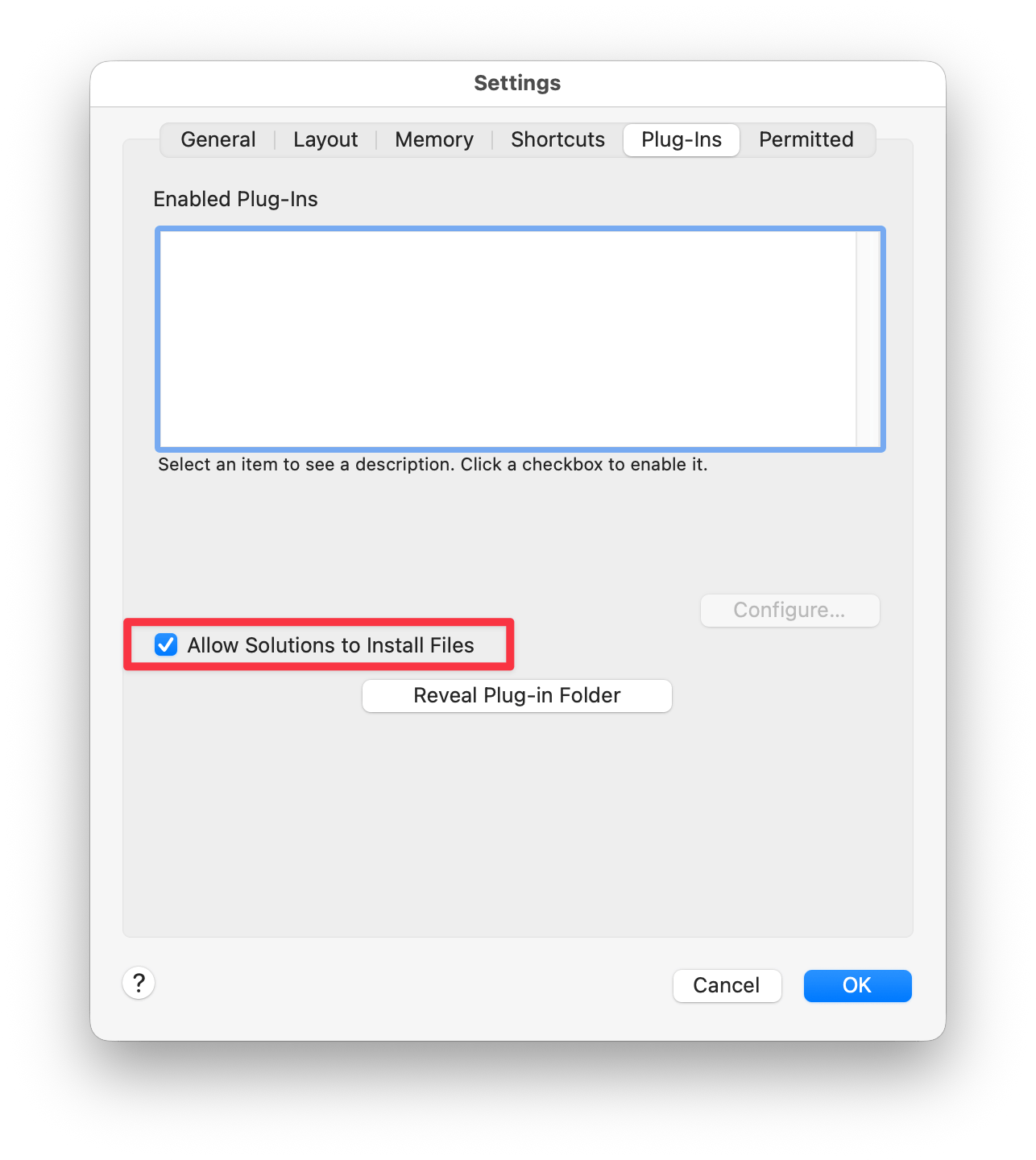
AgenticFM.zipfrom the download page and unzip it to reveal the installer - With FileMaker running, make sure to allow the installation of plug-ins: FileMaker Pro > Settings > Plug-Ins and tick "Allow Solutions to install files"
- Open the downloaded file in FileMaker Pro. The installer will copy the plug-in into place automatically.
Choose your provider
The plug-in talks to a coding-agent CLI you install on your own machine. At least one of the four below is required. Pick whichever one you already pay for; your existing subscription with that vendor is what powers generation. You do not need a separate AgenticFM subscription for AI usage; we never sit between you and your provider.
These are the official command-line agents from each vendor, distinct from consumer apps like the ChatGPT Codex app or Claude Cowork. The plug-in drives the CLI directly, so the same account you use in those apps will work here once the CLI is installed.

Claude Code
Works with: Anthropic Claude Pro, Max, or API plan
Anthropic's official CLI agent. After install, run it once to sign in with your Anthropic account.
Install
curl -fsSL https://claude.ai/install.sh | bashSign in
claude


The plug-in auto-detects whichever CLIs are installed on your machine. You can have more than one and switch between them from the chat window.
Opening the chat window
Add a layout button with a single Set Variable step set to
AGFM_Open,
then click it to toggle the chat window. Describe what you
need and the plug-in will work against your live solution.
AGFM_OpenLicense registration
After purchasing the plug-in, register your license key from the chat window or via the calculation function:
AGFM_Register ( "AGFM-your-key-here" )The key is validated locally via cryptographic signature. No ongoing internet connection is required after registration. This license covers the plug-in itself; your CLI provider is billed separately by that vendor.